
How to Upload Signature to PDF for Free

Lina
Chief Editor
There are a couple of ways to upload your signature to a PDF for free. Using these services make e-signature easy and fast for PDF documents such as contract, agreement, and so on.
Using the Adobe Acrobat reader
Uploading a signature to a PDF is easy when you use Adobe Acrobat Reader. The app's Fill & Sign feature lets you add a signature to a PDF in easy steps.
- Open your PDF using Adobe Acrobat Reader and click the
Sign yourselficon:

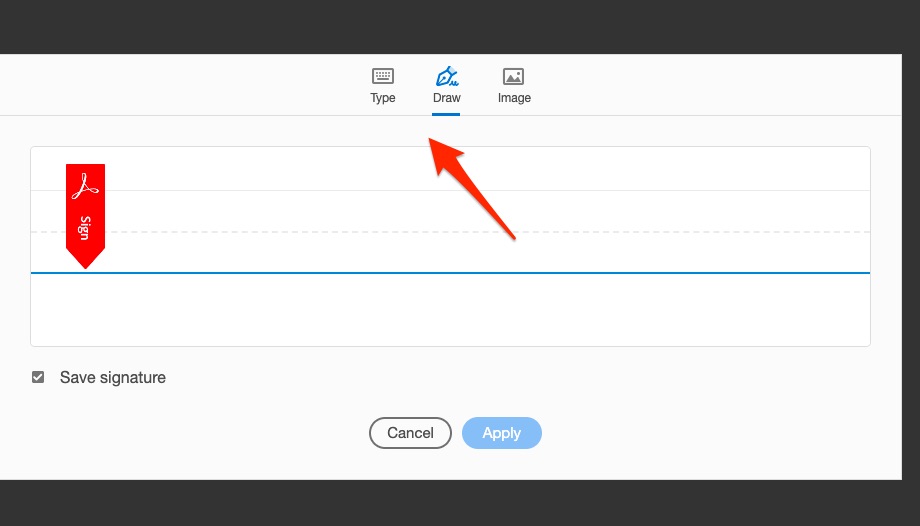
- If you're on a Mac, you can do it using a touchpad or trackpad. In Windows, you can draw a signature with your mouse or a stylus:
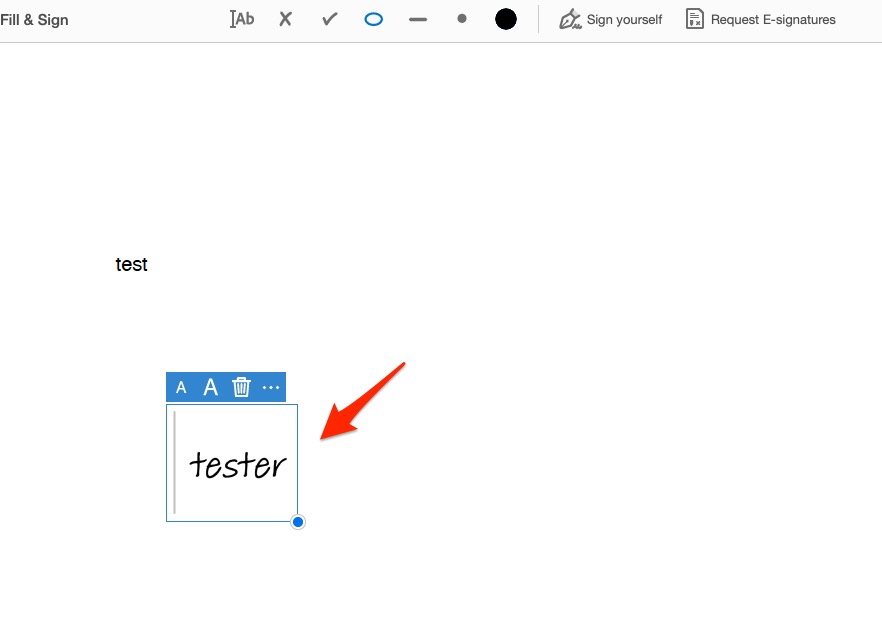
- Drag and drop your signature to the position needed:
Using the Preview app
You can also add a signature to a PDF in the Windows or macOS version of the Preview app. This free software lets you open a PDF and then perform a variety of other actions.
- Open your PDF using Preview and click
Toosl->Annotate->Signature->Manage Signatures:

- Select `Create Signature from the dropdown menu:

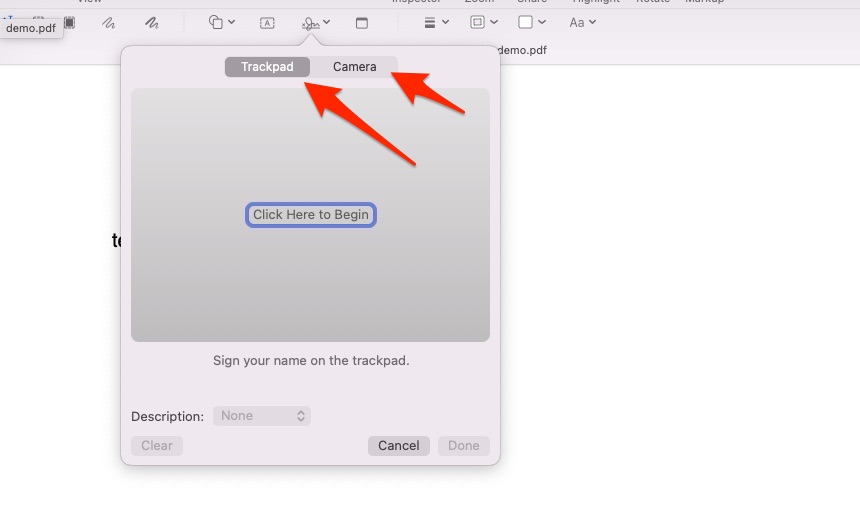
- You can choose from the following: Trackpad and Camera:
Using DocFly online service
One of the most convenient ways to add a signature to a PDF is online service because you do not need any tools installed on your computer. DocFly is one of the services that provide PDF signatures for free.
- Open https://www.docfly.com/sign-pdf from your preferred browser.
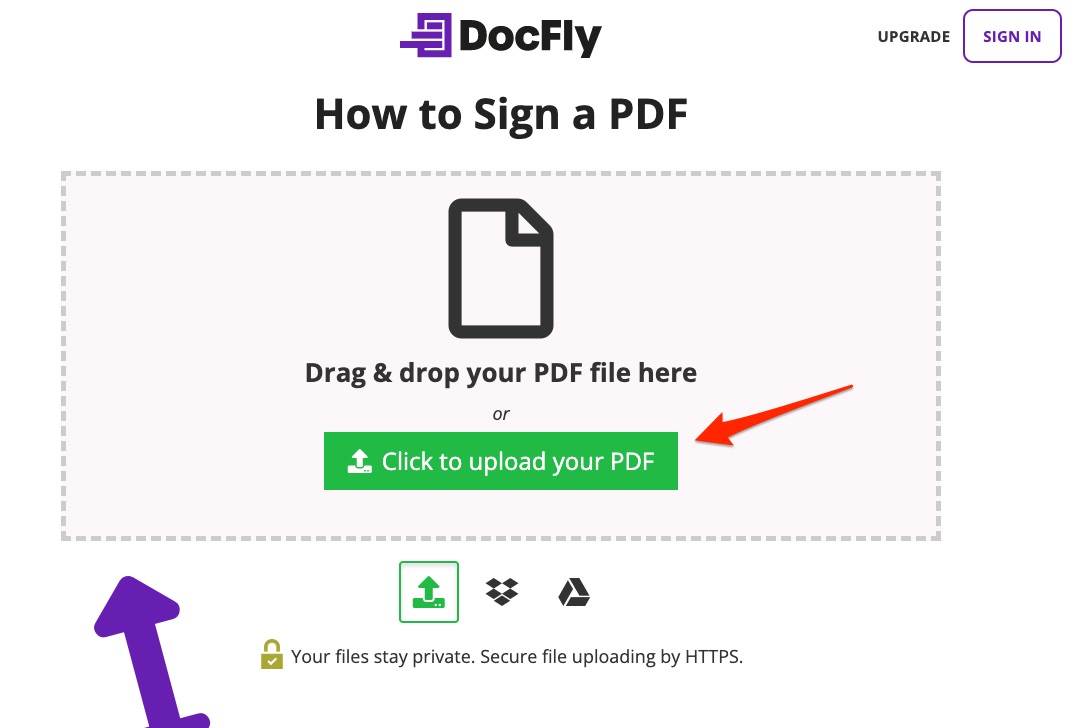
- Upload your PDF using the uploader:
- Choose the
Signatureoption when your PDF is uploaded successfully:
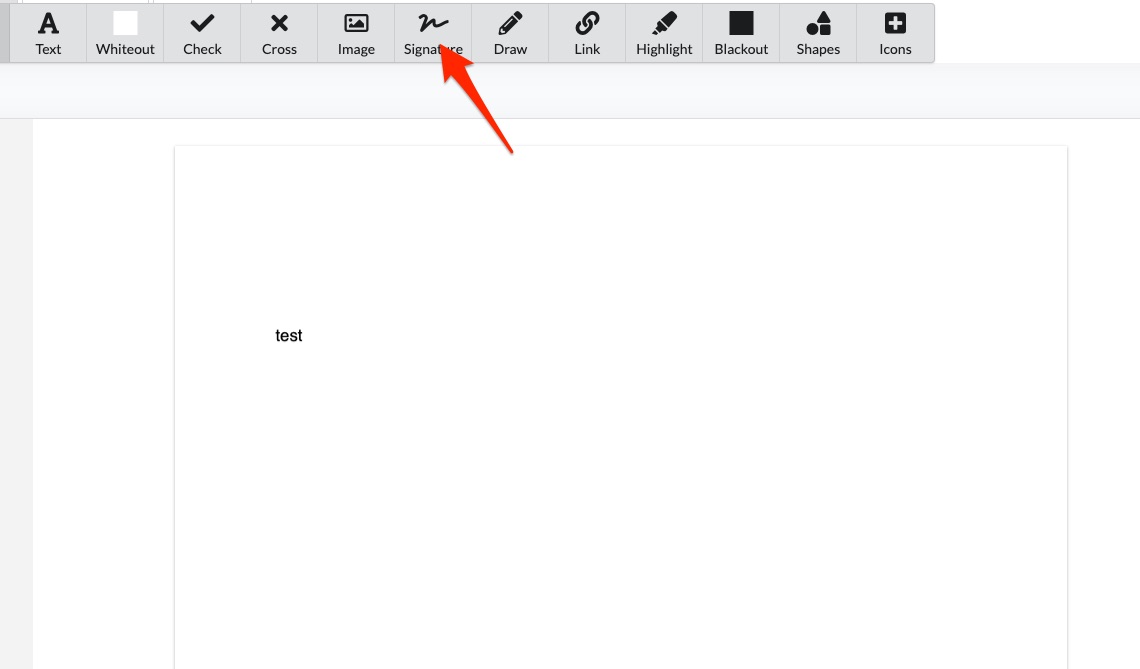
- You will be prompted to create a signature using a few options: Type, Draw, and Upload.

The end
For those who want a bit more control over their digital signature, there are also third-party applications, but most of them are not free. With this program, you can customize your signature's font size, color, and shape. Also, it offers a handy image signature feature that removes the background of your signature to make it more legible.