
How to Upload PDF to Mailchimp

Lina
Chief Editor
Dec 07, 2024
1 min(s) read
Mailchimp allows you to build and send a campaign to hundreds of millions of individuals. You can send PDFs, images, and other files to your contacts.
- Create new text for the link to your PDF;
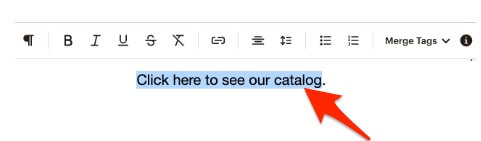
- Clik the
linkicon:

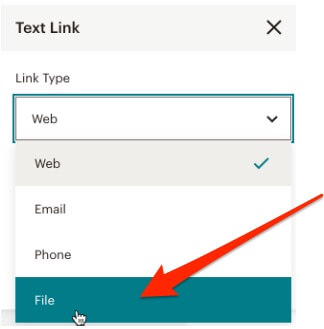
- A
Text Linkmodal box will show up. Click theFileoption from the dropdown menu:
- Upload your PDF from the
Upload from Devicebutton:
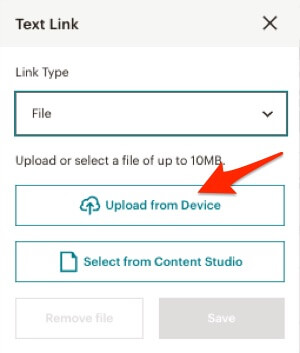
A URL will be created automatically after the PDF is successfully uploaded.