How to Make a QR Code Menu from a PDF You Already Have
StaticFast Team
You have a menu. It is a PDF from your printer or a Canva design, and you want a QR code on the tables this week. Most tools that promise a QR code menu ask you to retype every dish into their editor first.
You do not need to. A QR code menu takes three steps when the menu already exists: put the PDF on a public link, turn that link into a code, and print it. This guide covers those steps, then the parts that decide whether the code still works next year. Putting a menu behind a link is the same job as hosting a resume online, so the same kind of host works for both.

What a QR Code Menu Is
A QR code menu is a printed code that opens your menu on a diner's phone. The code does not contain the menu. It stores a link, and the menu lives at that link.
That split matters more than anything else in this guide. The code is free. What you are choosing is the link behind it.
There are two kinds of code. A static code stores your link directly. It costs nothing to make, has no scan limit and never expires. A dynamic code stores a short link that belongs to the generator, which then forwards the diner to your menu. That lets you change the destination and count scans, but the code stops working if the generator's subscription lapses. If your menu link never changes, a static code is all you need.
Make a QR Code Menu in Three Steps
This is the route that costs nothing. It uses Google Drive for the link and Chrome for the code.
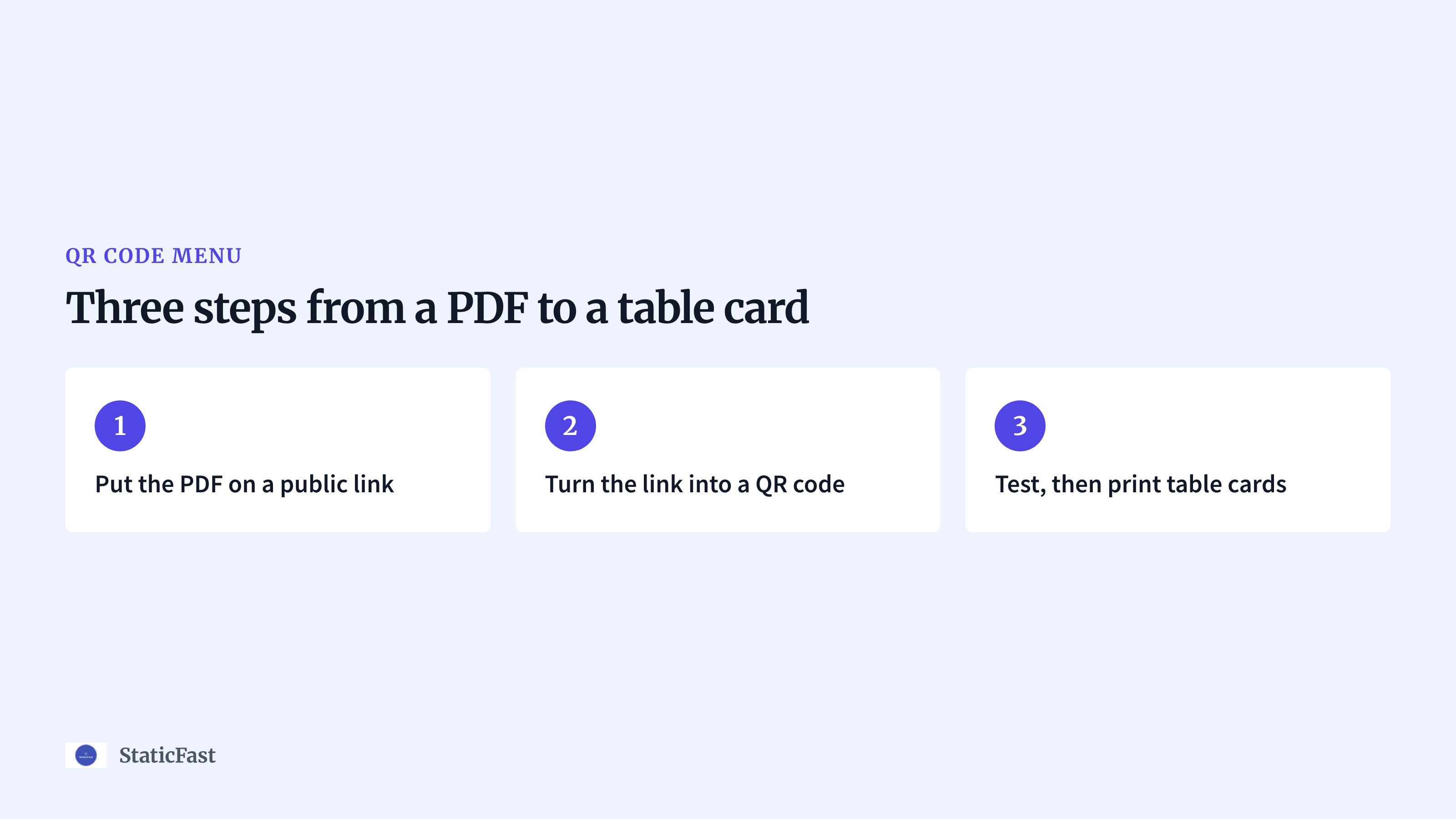
- Put the PDF on a public link: Upload the menu to Google Drive, right-click it and choose
Share. UnderGeneral access, pickAnyone with the link, then clickCopy link. If you leave it on the default setting, every diner who scans the code sees a request-access page. Our guide to uploading a PDF to Google Drive explains each setting. - Turn the link into a QR code: Paste the link into Chrome on a computer and open it. Click the three-dot menu, then
Cast, save, and share, thenCreate QR Code, and download the image. This is a static code, so it is free and it does not expire. - Test, then print table cards: Scan the code with your own phone before anything goes to the printer. If the menu opens without a sign-in page, put the code on a table card with one line of text, such as "Scan for the menu".
The whole thing takes about ten minutes. The weak spot is the link. A Drive link opens Drive's preview page instead of the PDF itself, and it depends on a sharing setting that anyone with edit access can change.
PDF Menu or a Built Menu Page
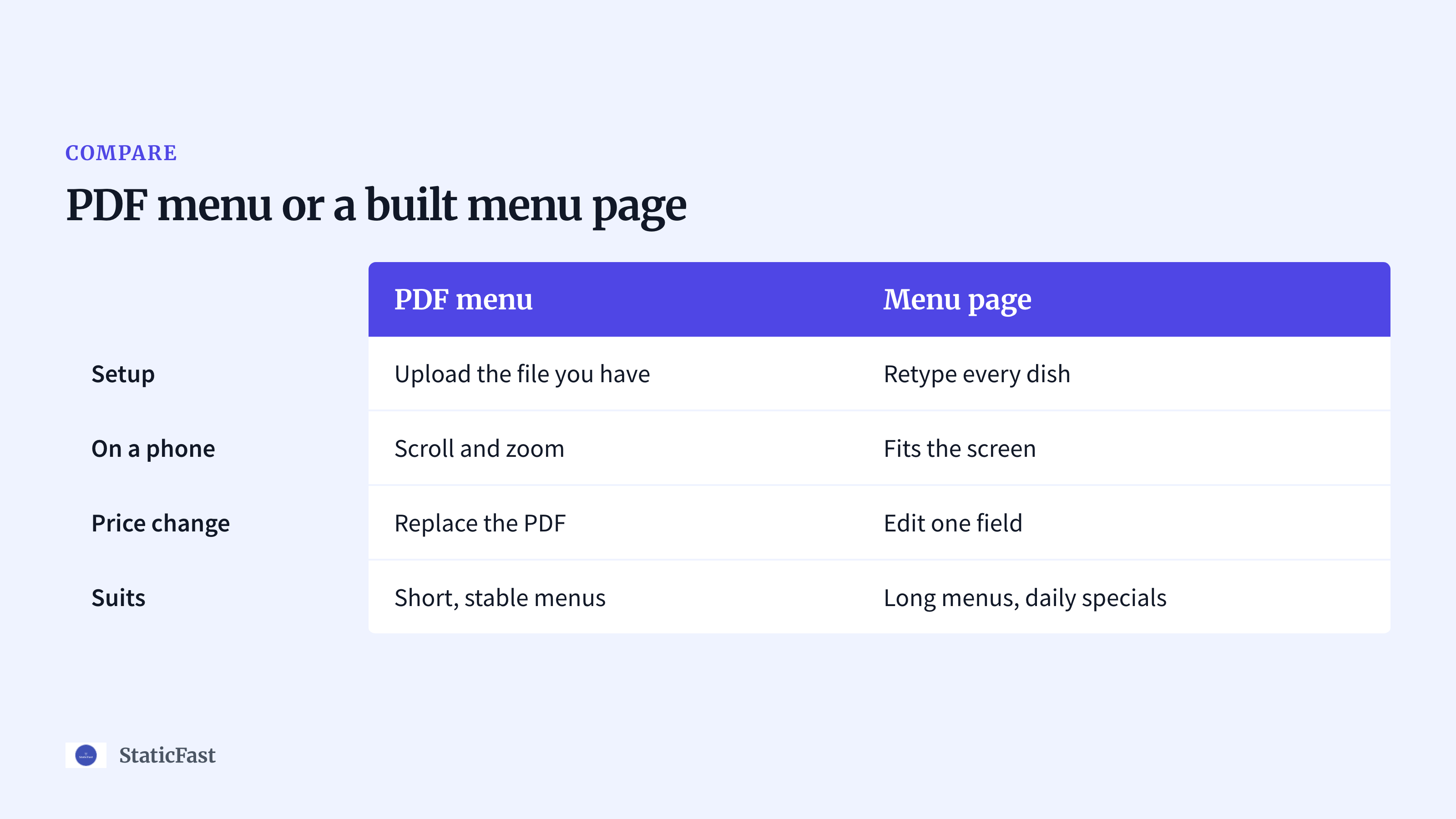
A menu builder gives you a web page instead of a PDF. That is a real advantage on a phone, and it costs you the retyping. Here is how the two compare.
| PDF menu | Menu page | |
|---|---|---|
| Setup | Upload the file you have | Retype every dish |
| On a phone | Scroll and zoom | Fits the screen |
| Price change | Replace the PDF | Edit one field |
| Suits | Short, stable menus | Long menus, daily specials |
A PDF suits a café, a bar or a food truck with one or two pages that change a few times a year. You keep the design you already paid for, and the table code shows the same menu as the printed one.
A built page suits a restaurant with a long menu or specials that change daily. Editing one price in a form is quicker than exporting a new PDF every morning. The price is a subscription and an afternoon of typing.
If you are still deciding where the file should live, we compare the options in our guide to hosting a restaurant menu online.
Change Prices Without Reprinting the Code
The code on the table points at one link. When a price changes, the link has to stay the same and the file behind it has to change.
So never upload the new menu as a new file. A new file gets a new link, and every card you printed now opens the old menu or an error page.
In Google Drive, right-click the menu, open File information, choose Manage versions, then Upload new version. The link stays and the PDF behind it is replaced. Scan a table card afterwards to confirm the new prices show.
Print Size, Placement and Testing
A code that is too small or too shiny fails at the table, and you will not hear about it. Diners just ask for a paper menu.
- Size: Print the code at least 2 cm (0.8 in) wide for a card read at arm's length. A rough rule is one tenth of the scanning distance, so a code on a wall two metres away needs to be 20 cm wide.
- Contrast: Use a dark code on a light background. Inverted colours and pale brand tints are harder for older phones to read.
- Margin: Leave a white border around the code. Text or artwork that touches the edge confuses the camera.
- Table tents or stickers: A table tent stands upright, so it catches the light and is easy to scan from a seat. A sticker lies flat, gets scratched and glares under lamps. If you use stickers, pick a matte finish.
Test with two phones, an iPhone and an Android, from where a diner sits. Do it once in daylight and once in the evening with your normal lighting. Then turn Wi-Fi off and scan again, because diners are on mobile data.
Keep the PDF Readable on a Phone
A menu laid out for A4 or Letter paper arrives on a phone as a full page with small text. The diner has to pinch and pan to read it.
Export a second version for the code. Use a narrow page and a single column, so it scrolls like a web page. Set dish names at 14 pt or larger. Drop the full-page photos, because a smaller file opens faster on mobile data. If you would sooner rebuild the layout than fix it, our free restaurant menu maker exports a print-ready PDF without a sign-up.
Keep a few paper menus as well. Some diners have a flat battery, some have no signal at the back table, and some just want to hold a menu. A QR code menu works best as the default, not as the only option.
Introducing StaticFast
The free route has two weak points: the Drive preview page and a link that depends on a sharing setting. That is the gap we built StaticFast menu hosting for.
Drag and drop the PDF and you get a public URL and a QR code for it, so steps 1 and 2 become one upload. Diners open the menu in their browser with no sign-in. When a price changes, you re-upload the PDF and the link and QR code stay the same. You can also see how many times the menu was viewed.
Solo is $9 a month for 2 PDFs and up to 20 MB of storage. Growth is $19 a month for 5 PDFs and up to 100 MB. You can try an upload without an account, but a trial link is deleted after 5 minutes, so do not print that one. StaticFast hosts the PDF you bring. It does not build a menu page, take orders or handle payment.
FAQs
Q: How to get a QR code for a menu?
A: Put the menu PDF on a public link, then paste that link into a QR code generator and download the image. Chrome has one built in under Cast, save, and share. Print the image on your table cards.
Q: Is there a 100% free QR code generator?
A: Yes. A static QR code costs nothing to make, has no scan limit and does not expire, and Chrome's built-in generator makes one. Be careful with generators that offer a free trial of a dynamic code, because that code can stop working when the trial ends.
Q: Can ChatGPT generate QR codes?
A: It can when it runs code to build the image from your link. A QR code drawn by an image model can look right and still not scan. Either way, scan the result with your phone before you print it.
Q: How do you check a QR code?
A: Point your phone camera at it. The phone shows the link before it opens, so check that the address is the one you expect, then tap it and confirm the menu loads. Repeat on a second phone and on the printed card, not just on your screen.
Conclusion
Now you have a QR code menu made from the PDF you already had: a public link, a static code and a card that scans from a seat. Replace the file behind the link when prices change, and the cards on your tables keep working.